
What it does
Timber Connections checks one group of identical fasteners joining a timber main member to a timber side member or a steel side plate. It works out the capacity of the group across and along the fasteners and checks the spacing, edge and end distances, under a stated set of load combinations. The calculator's own User guide explains each input and check in detail.
What you enter
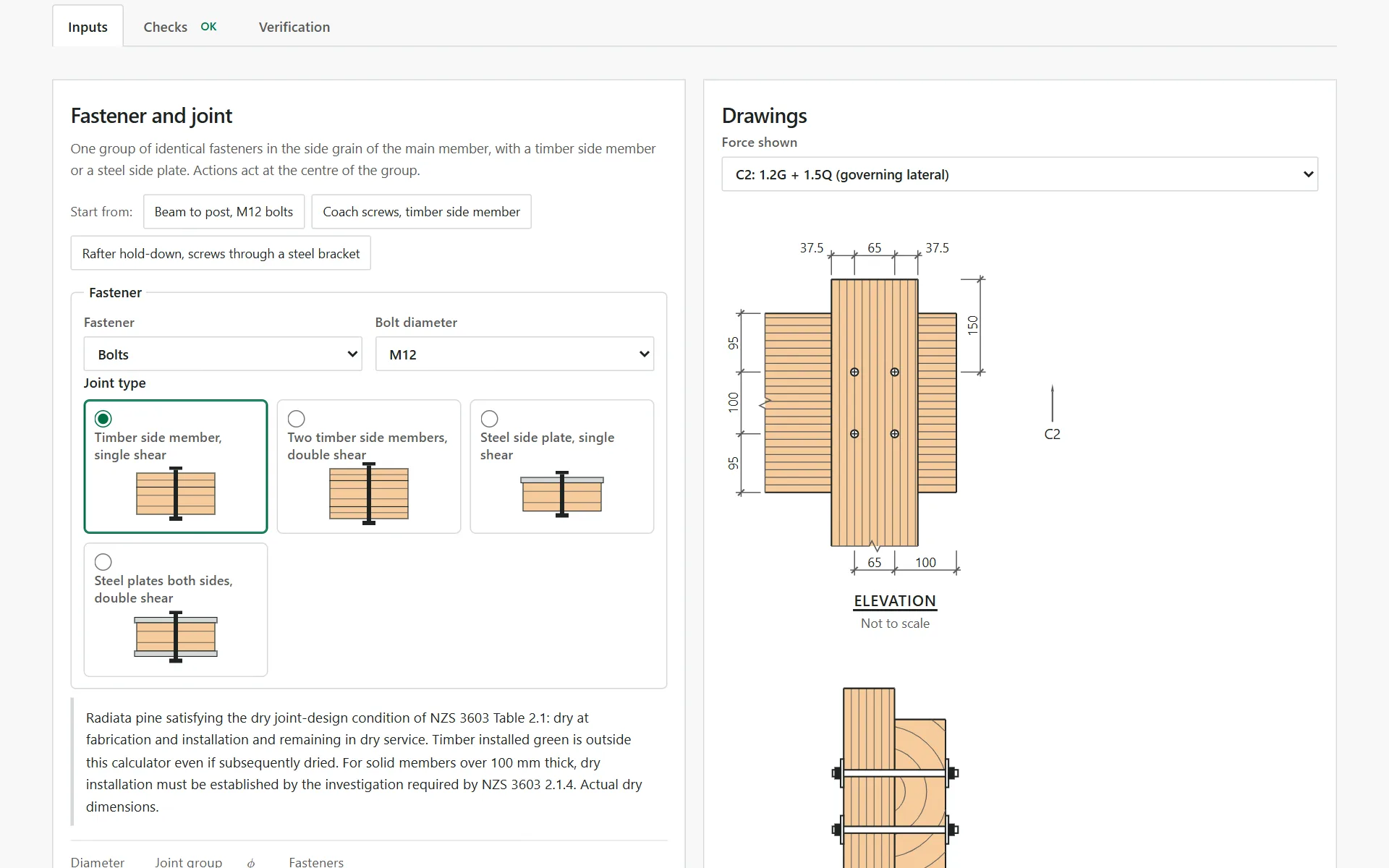
- The fastener type and size, and the joint type.
- The member sizes and the fastener layout.
- The forces on the connection for permanent, imposed and wind actions.
What you get
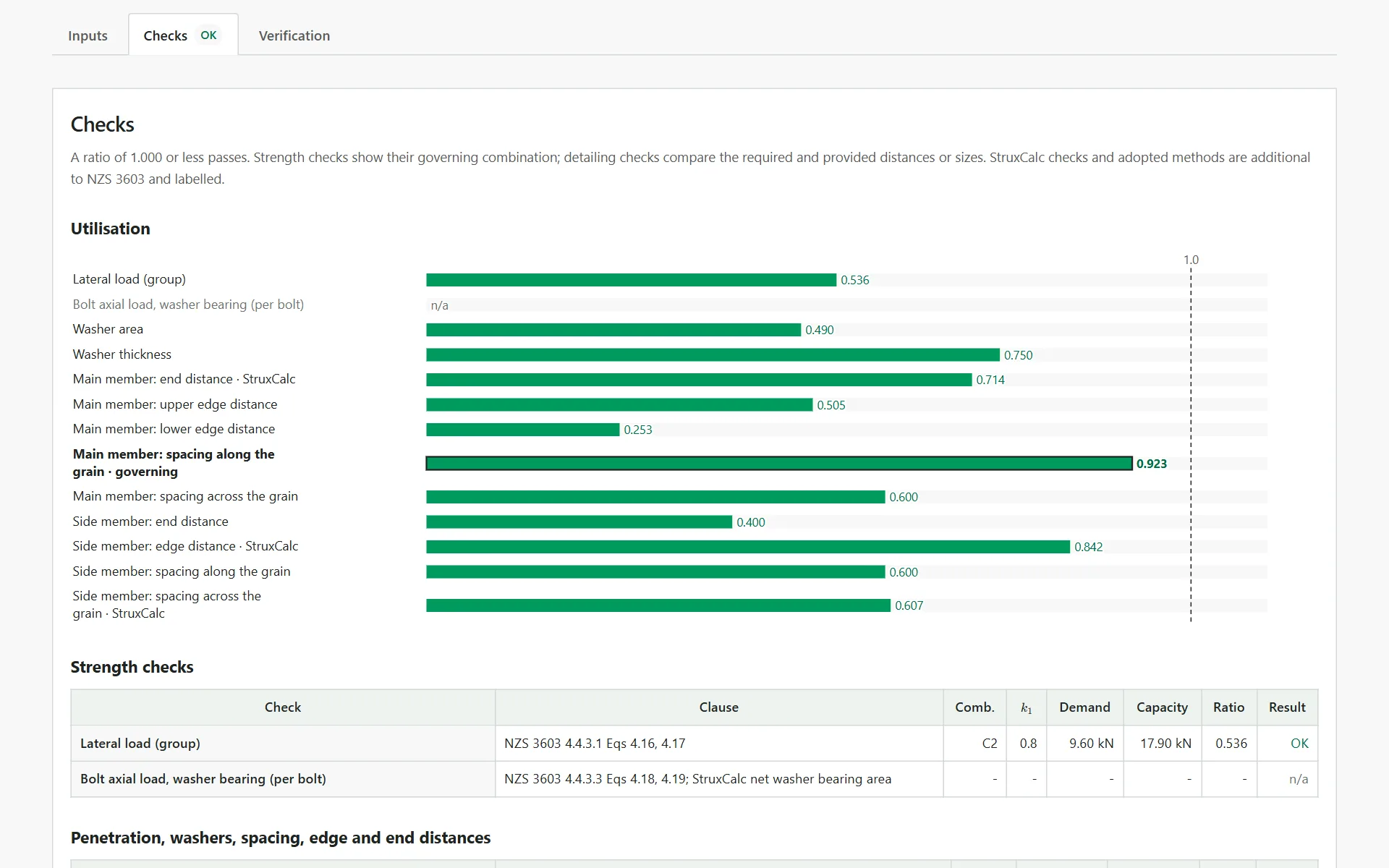
- A pass or fail result with the governing check and combination.
- Capacity, washer, spacing, edge and end distance checks with their clauses, and a utilisation chart.
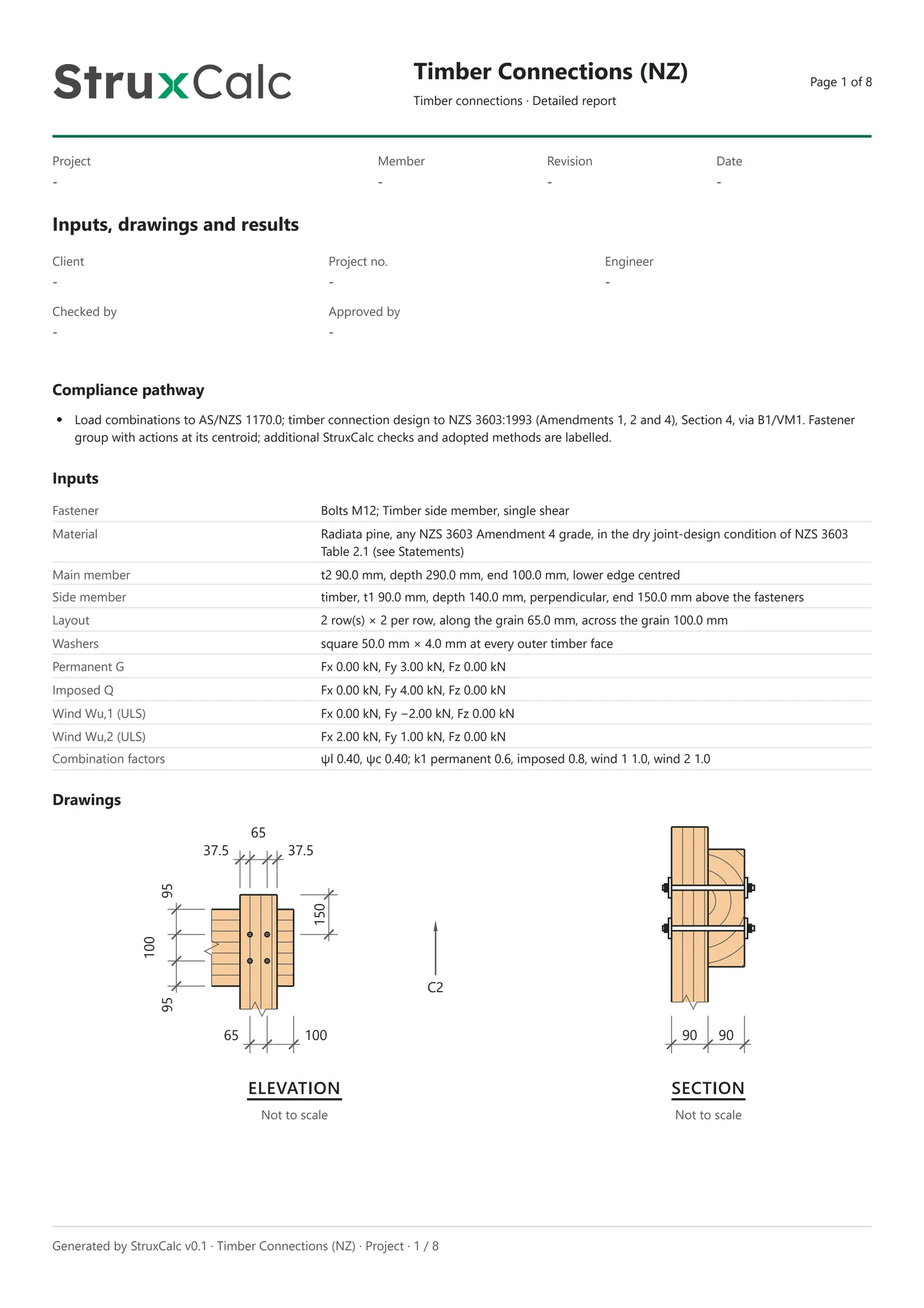
- Elevation and section drawings of the joint, an A4 report, and a project file or account project that keeps the inputs.
Scope
- One group of identical fasteners, with the actions at its centre.
- Not checked: the members at the joint, eccentric moments, steel plates and brackets, nails and glued joints.