Steel Member Design user guide

Strength checks to NZS 3404 for one steel member or segment under one load combination.

Structural member design toolsAbout Steel Member Design

What it does

Steel Member Design checks a steel member for bending, shear, axial force and combined actions, and names the governing check with its utilisation. Each load combination and each member or segment is a separate calculation.

What you enter

  • The section, from the NZ catalogue or entered by its dimensions.
  • The factored design actions.
  • The restraint arrangement and effective lengths.
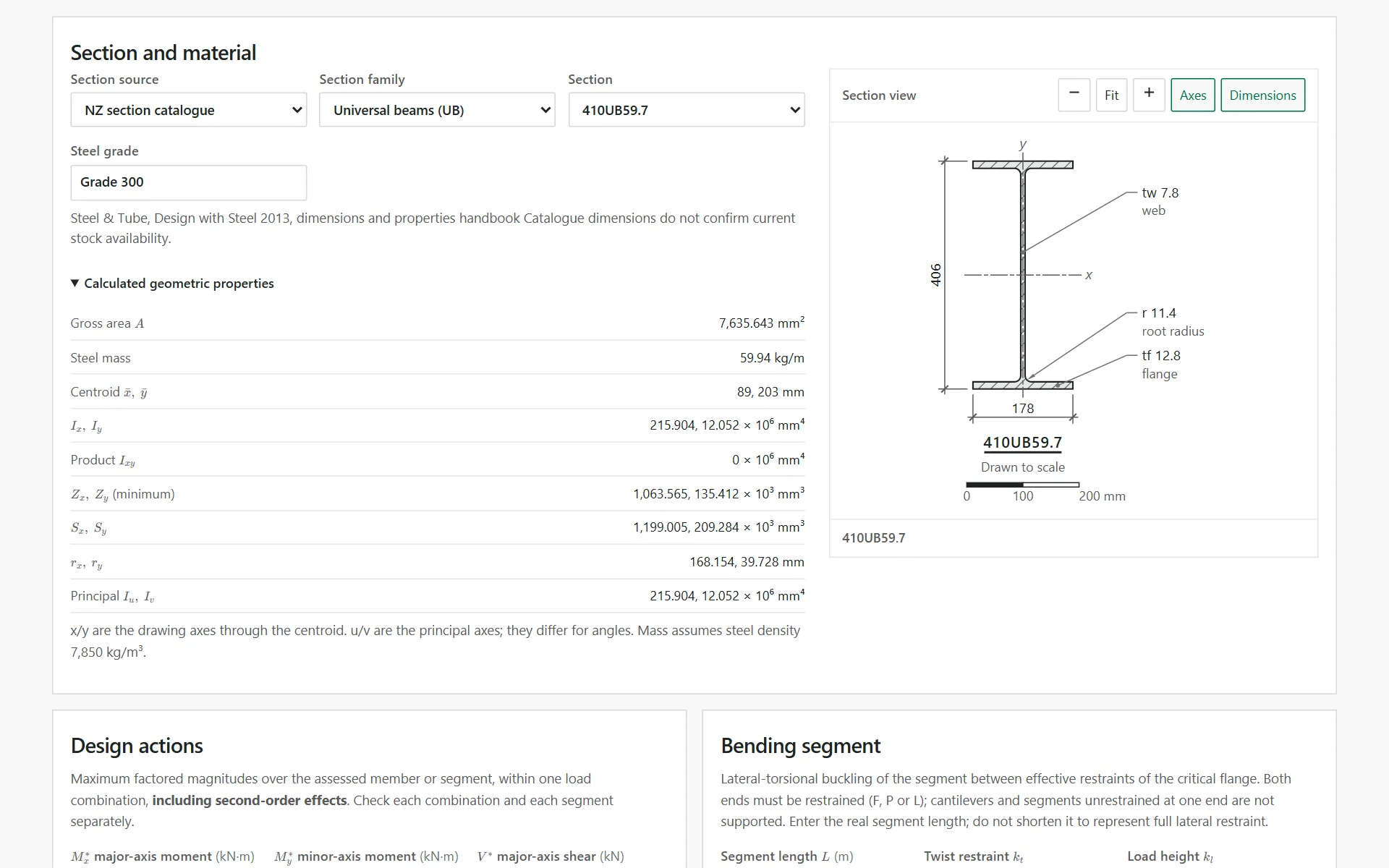
The Steel Member Design screen with the section and material inputs, the calculated section properties and a scaled drawing of a universal beam section.
The section inputs and the section drawing.

What you get

  • A pass or fail result with the governing check and its clause.
  • Every check with its action, capacity and ratio, and the step-by-step working.
  • A section drawing, an A4 report, and a project file or account project that keeps the inputs.
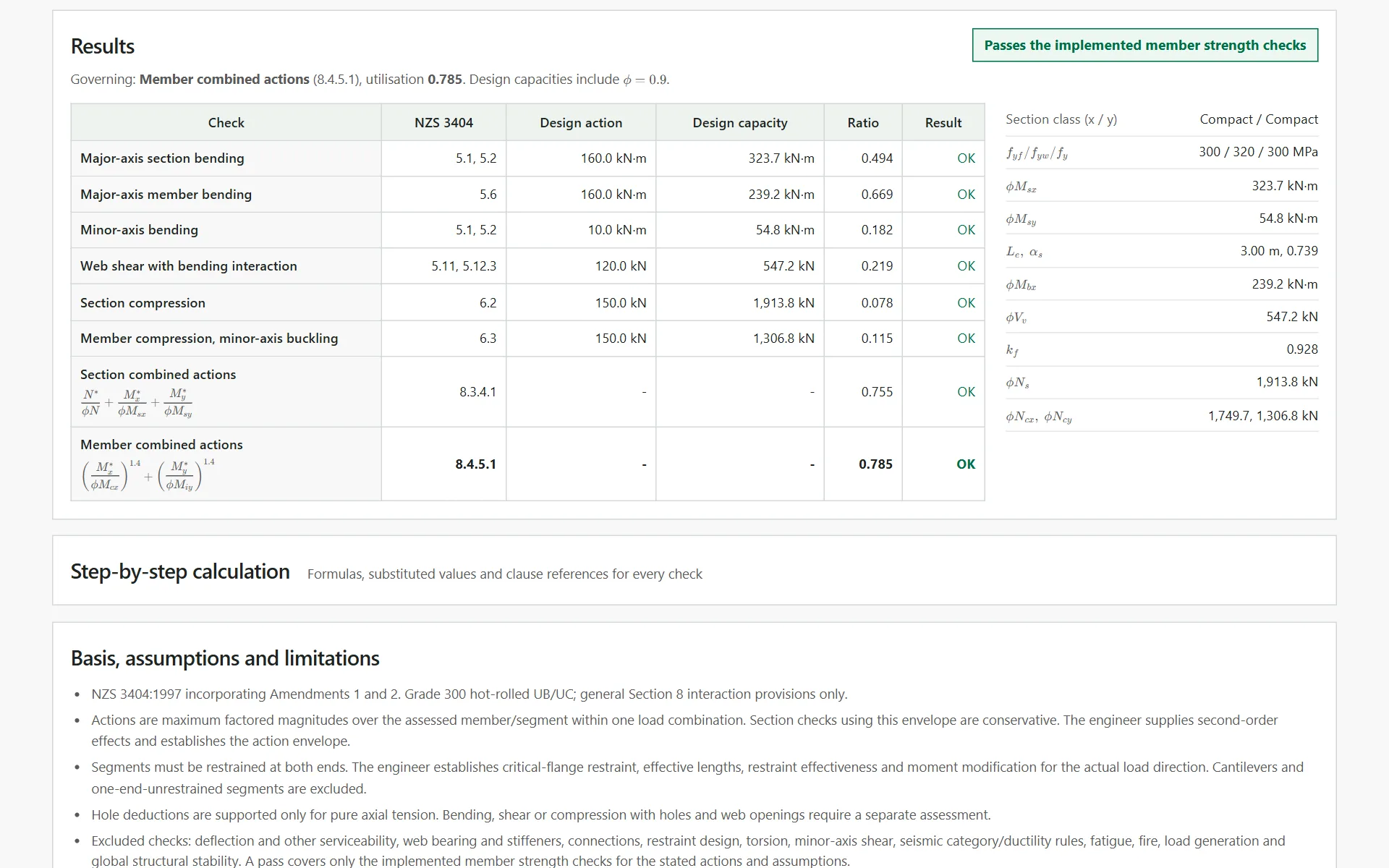
The results panel with a check table of design actions, capacities and ratios for each member strength check, beside the key capacities.
The check table and the key capacities.
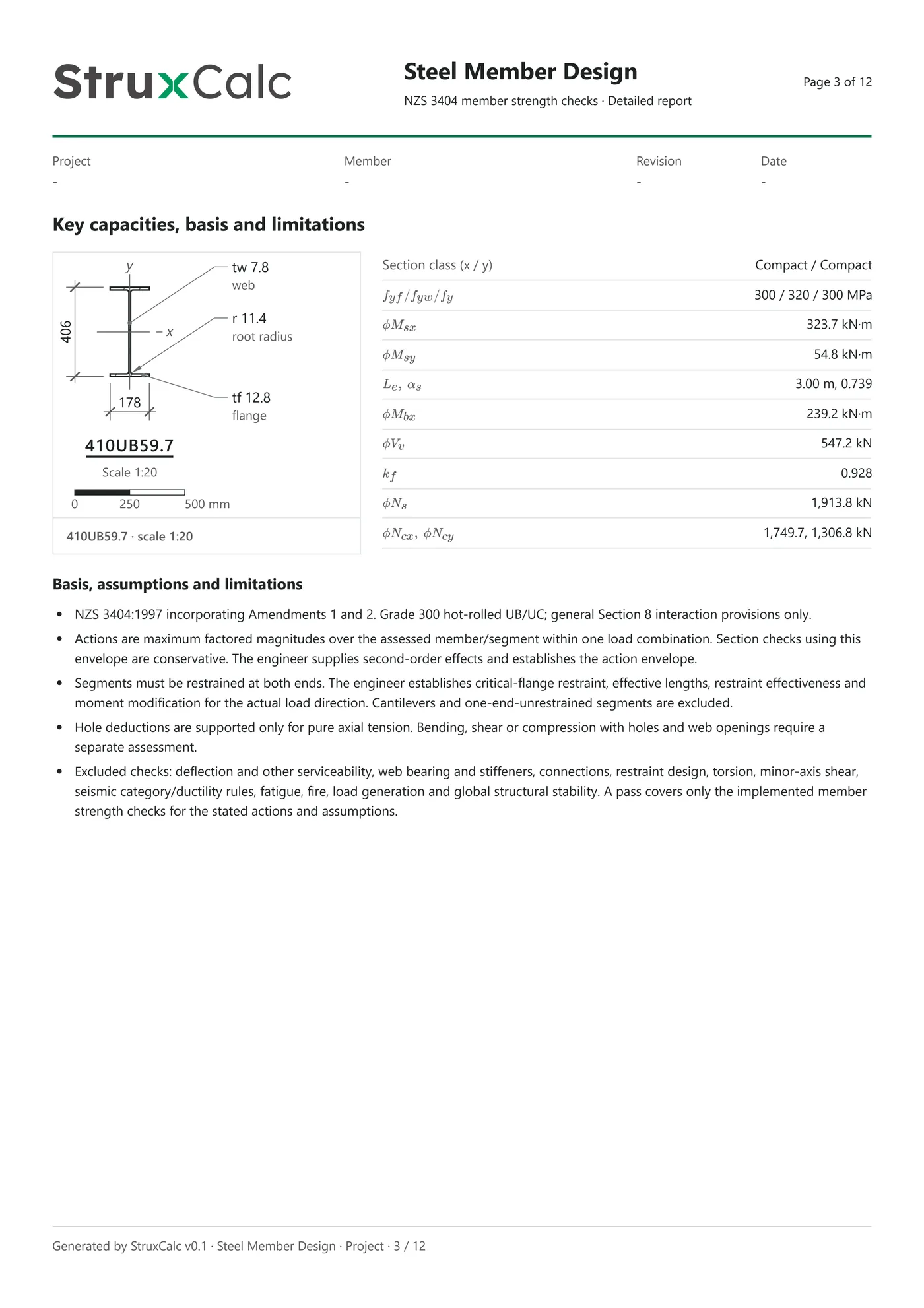
A report page with a dimensioned drawing of the section, the key capacities and the basis, assumptions and limitations.
Detailed report, page 3: section drawing and key capacities.

Scope

  • Member strength checks only.
  • Not checked: deflection, connections, web bearing, seismic ductility rules, fatigue and fire.
Open calculatorAll tools

The engineer remains responsible for the design: the choice of method, the inputs and the interpretation of the results.