Truss Analysis user guide

Generates a pitched, mono-pitch or parallel-chord truss from a few parameters and analyses it under your load cases and combinations.

Structural analysis toolsAbout Truss Analysis

What it does

Truss Analysis builds the truss from its type, web pattern, span, slope and panel count, then reports member forces, chord bending, deflections and reactions. It is an analysis tool and is not tied to a design code.

What you enter

  • Truss type, web pattern and overall geometry.
  • Member properties, supports and the joint model.
  • Load cases, combinations and loads on the chords.
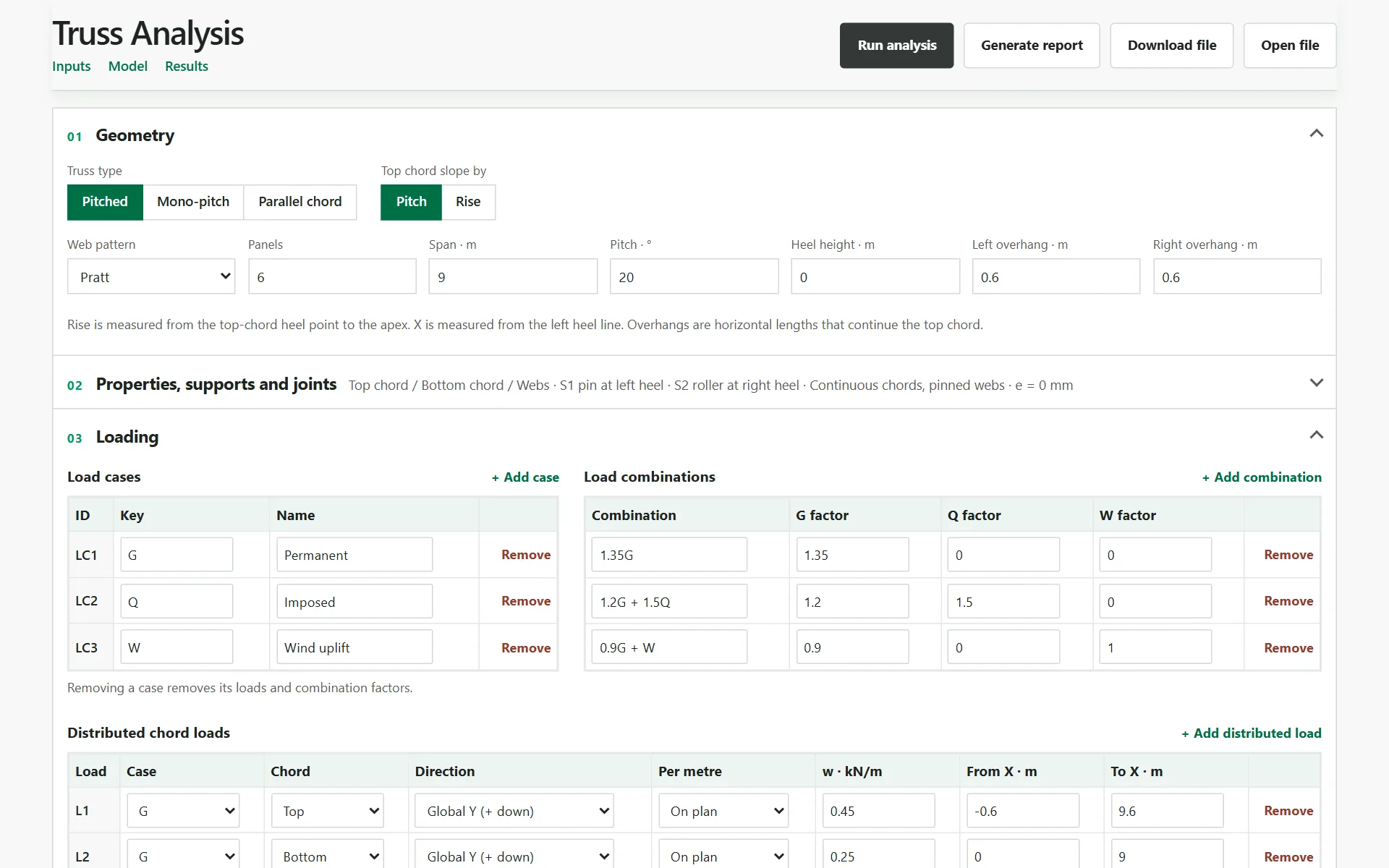
The Truss Analysis screen with the geometry inputs for a pitched truss and the loading tables for load cases, load combinations and distributed chord loads.
The truss geometry and loading inputs.

What you get

  • Member axial forces, chord bending and shear, joint deflections and support reactions.
  • Results for each case, a comparison or the envelope, with diagrams and member tables.
  • An A4 calculation report, and a project file or account project that keeps the inputs.
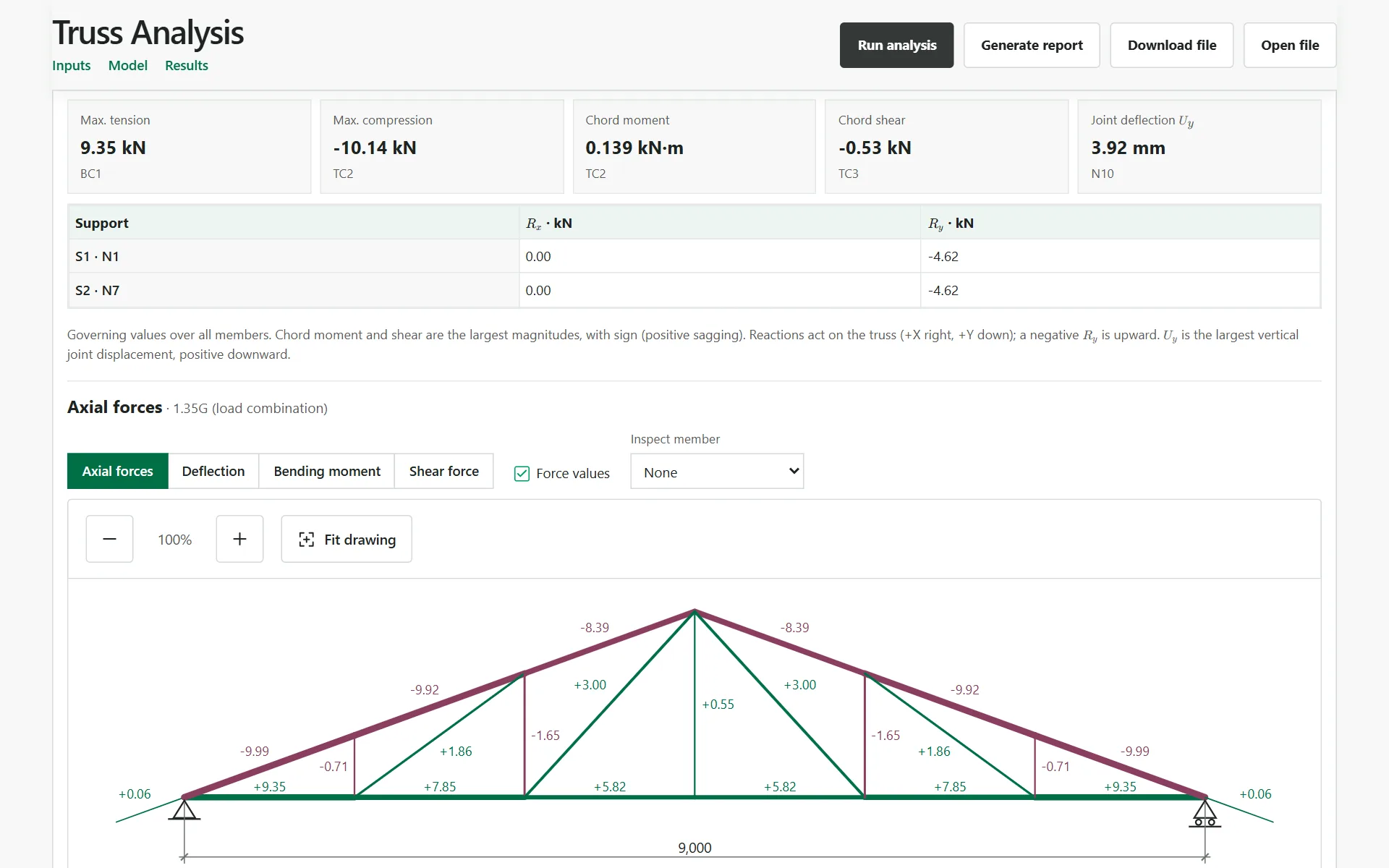
The truss results with the governing member forces, the support reactions and an axial force drawing of the truss with the force marked on each member.
The governing values, the reactions and the axial force drawing.
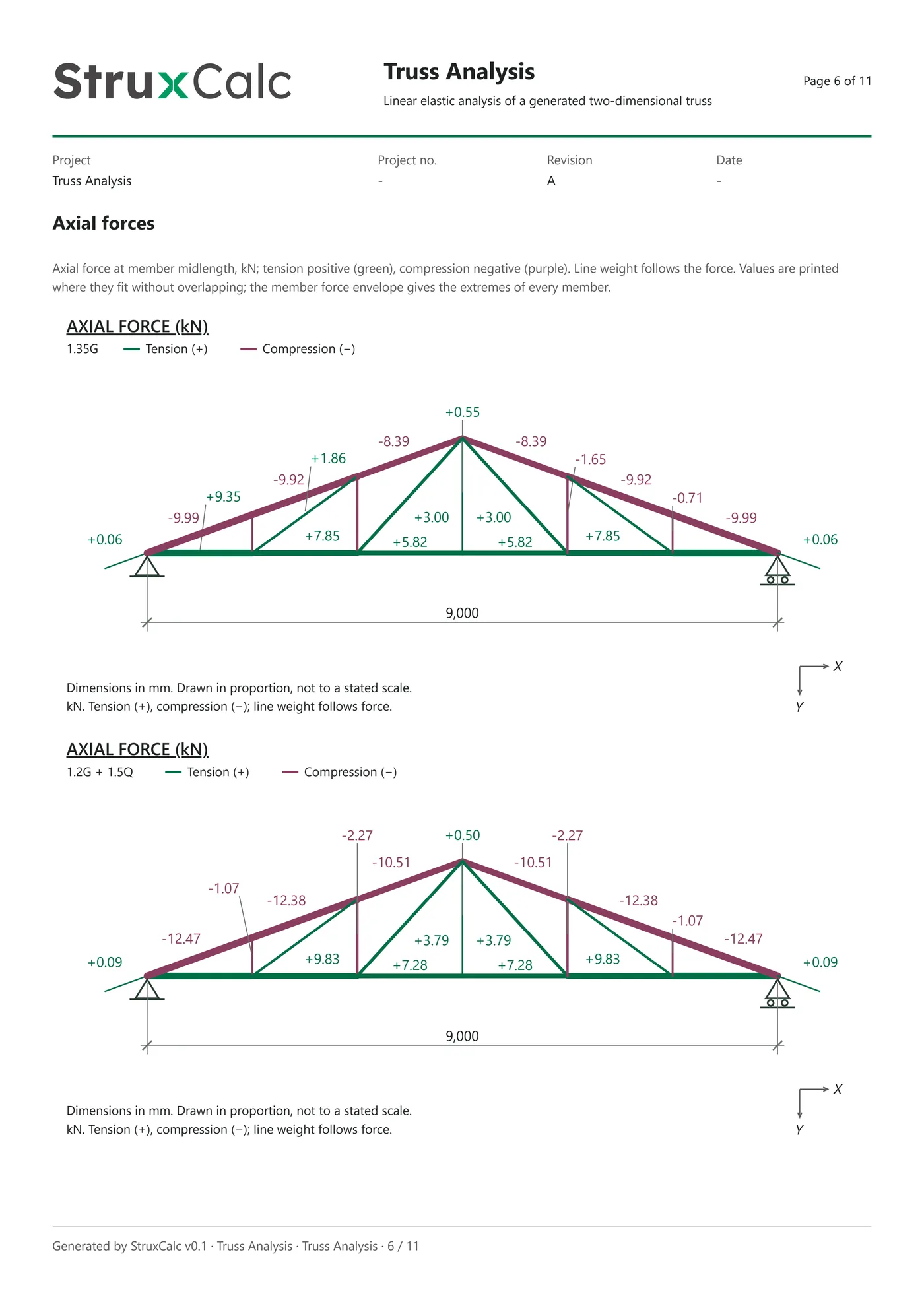
A report page with axial force drawings of the truss for two load combinations, tension and compression in different colours.
Report, page 6: axial force drawings for two load combinations.

Scope

  • The generated truss types and patterns only.
  • Linear elastic, first-order analysis, with no member capacity, connection or design-code checks.
Open calculatorAll tools

The engineer remains responsible for the design: the choice of method, the inputs and the interpretation of the results.